Product updates
Discover the latest enhancements to the Netwealth platform including new tools, functionality and reporting



Onboard clients more efficiently with our new digital application process. The streamlined workflow guides you step‑by‑step, with integrated document upload, ID verification and a seamless online review experience for clients.

Netwealth’s Transfer Between Accounts tool now lets advisers move a portion of cash or selected assets between Super and Pension in either direction quickly, securely, and entirely online.

Nova is now built into live messaging to help you resolve “how‑to” questions fast, using trusted content from Netwealth's Knowledge Centre.
No more digging through guides - just ask Nova.
Proud to be recognised by Investment Trends as the Most Enhanced Platform 2025*.
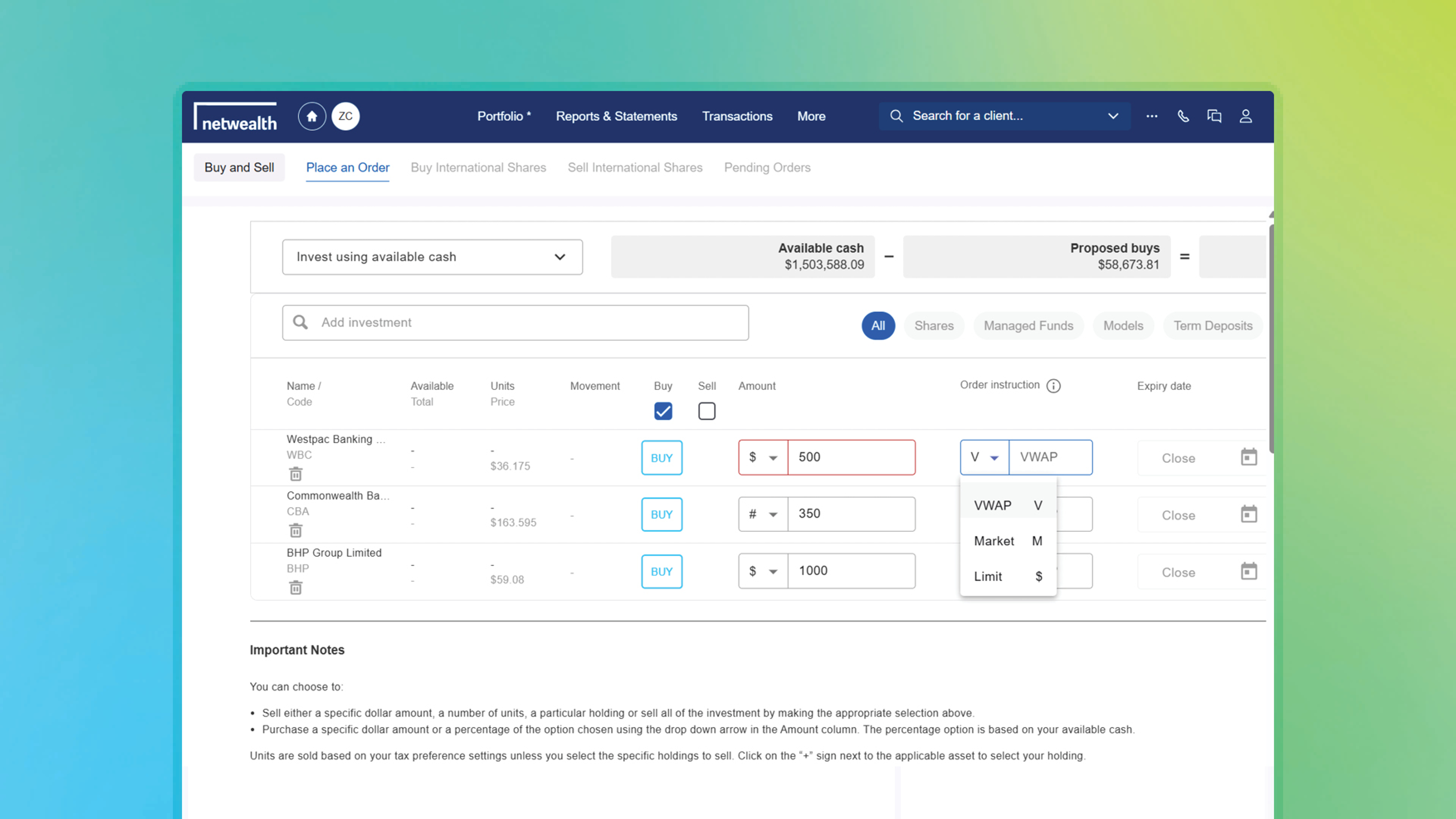
Place a single order and let our broker handle the execution, working it throughout the day to target the average price. It’s designed to help reduce market impact and support more consistent execution outcomes without added effort.
Key benefits:
*Conditions apply.
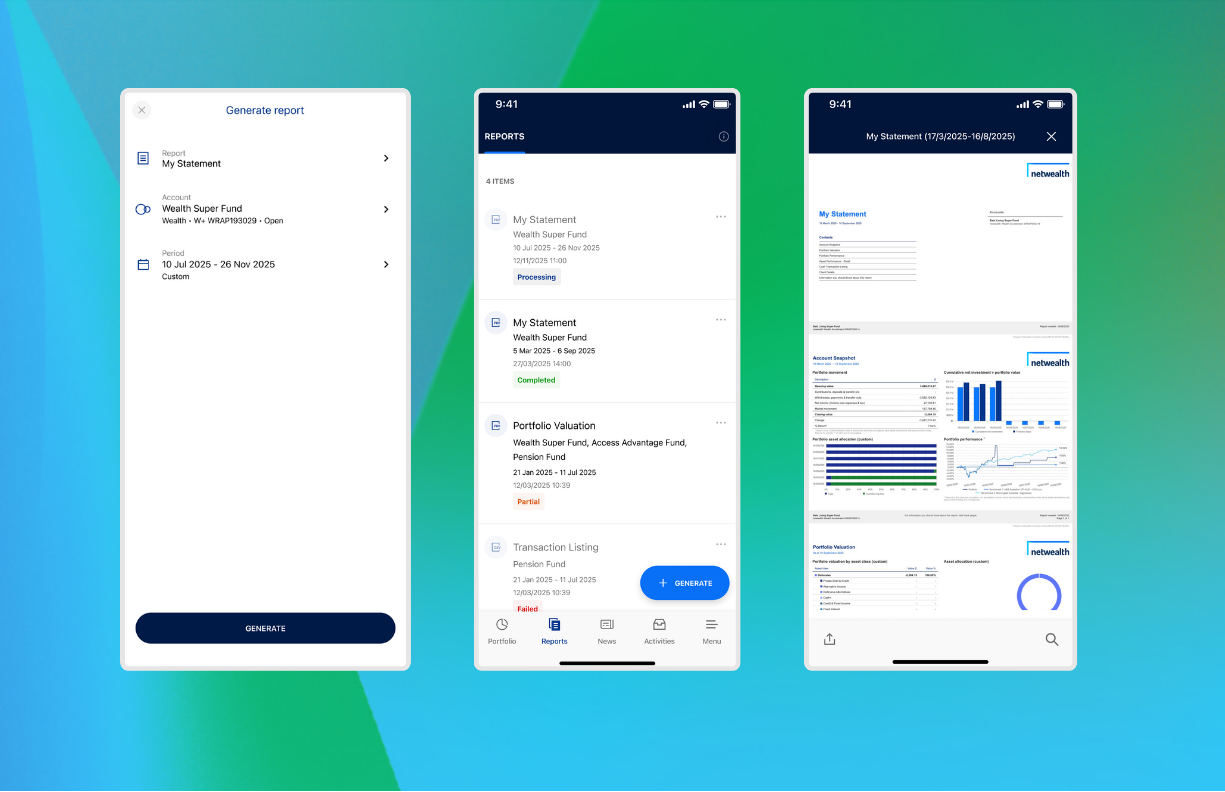
The Netwealth app continues to evolve, with clients now able to view existing web‑generated reports and generate ‘My Statement’ reports directly in the app. Instant notifications when reports are ready help reduce delays and provide quicker access to key information - supporting your client conversations.
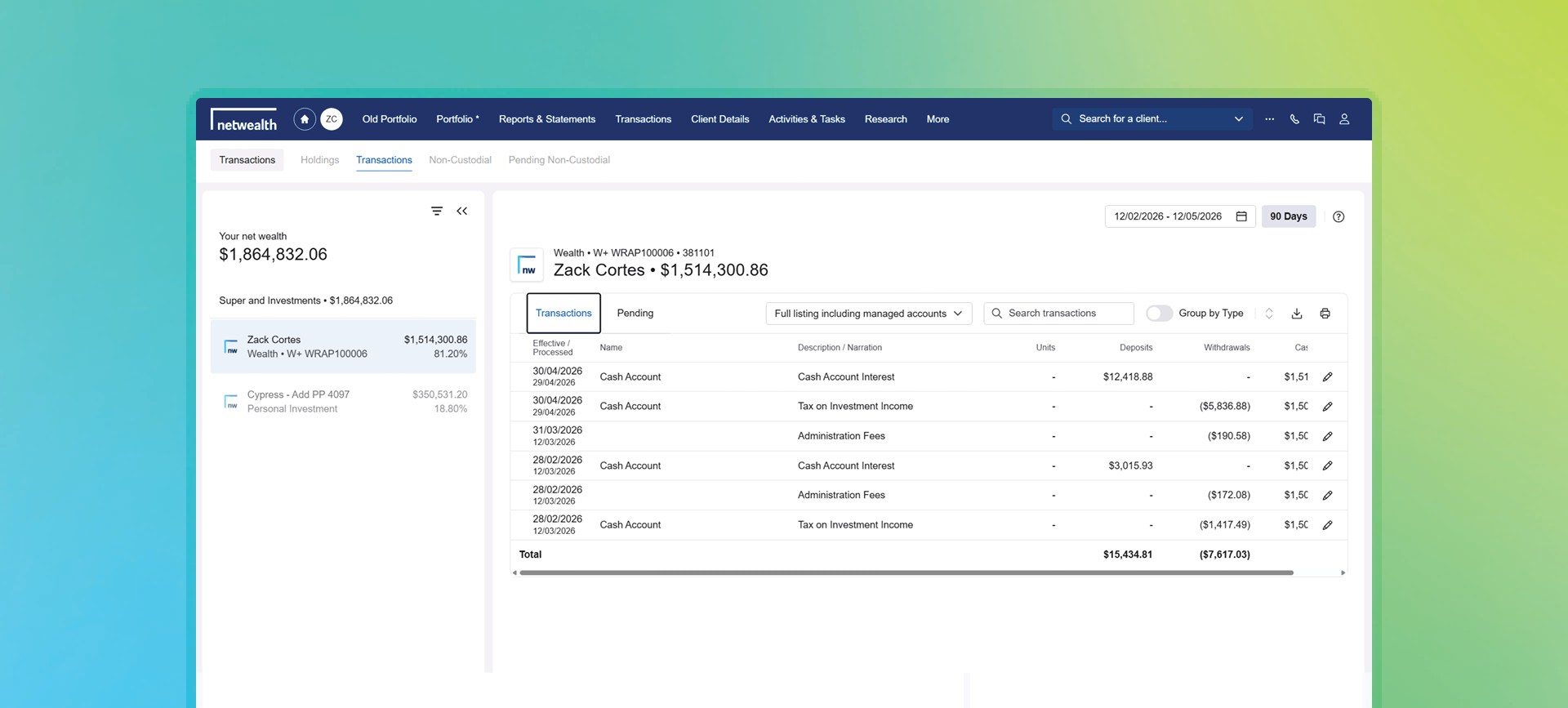
The updated Transactions page now clearly separates completed items from pending activity, making it easier to review history and quickly see what’s still outstanding. All the same features remain - now organised in a cleaner layout to helps you find what you need faster.
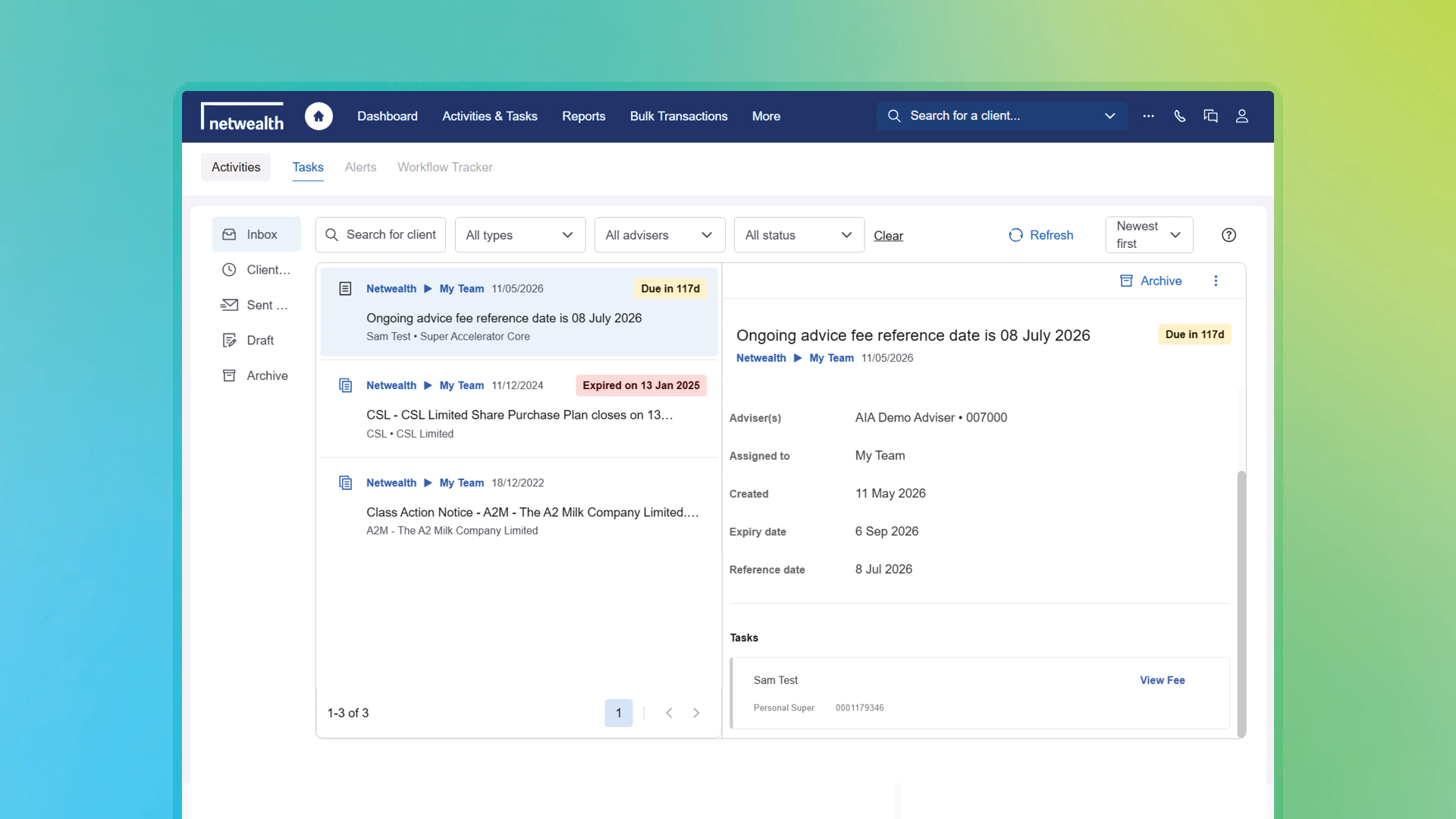
Activities and Workflow Tracker now help you hit the ground running:
Nova is now built into live messaging to deliver fast, clear answers to how‑to questions. Powered by our Knowledge Centre, it helps you resolve queries quickly and with confidence.
No more digging through guides - just ask Nova.
Try it now by logging in, selecting the messaging icon in
the top right, choose ‘How to’, and ask your question.
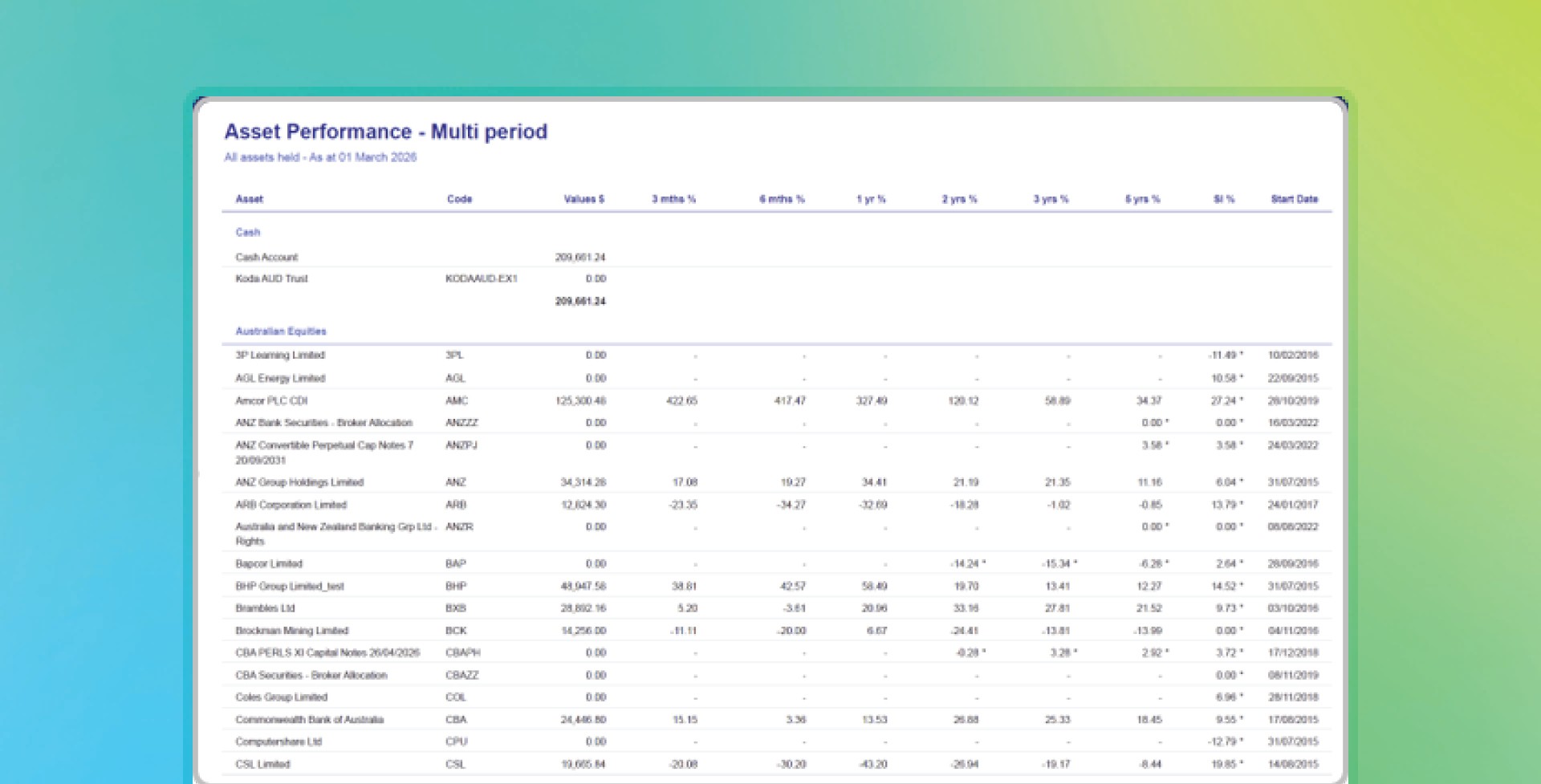
The Multi Period Report shows how assets and strategies have performed across selected timeframes in a single view - helping reduce manual work and support clearer client conversations.
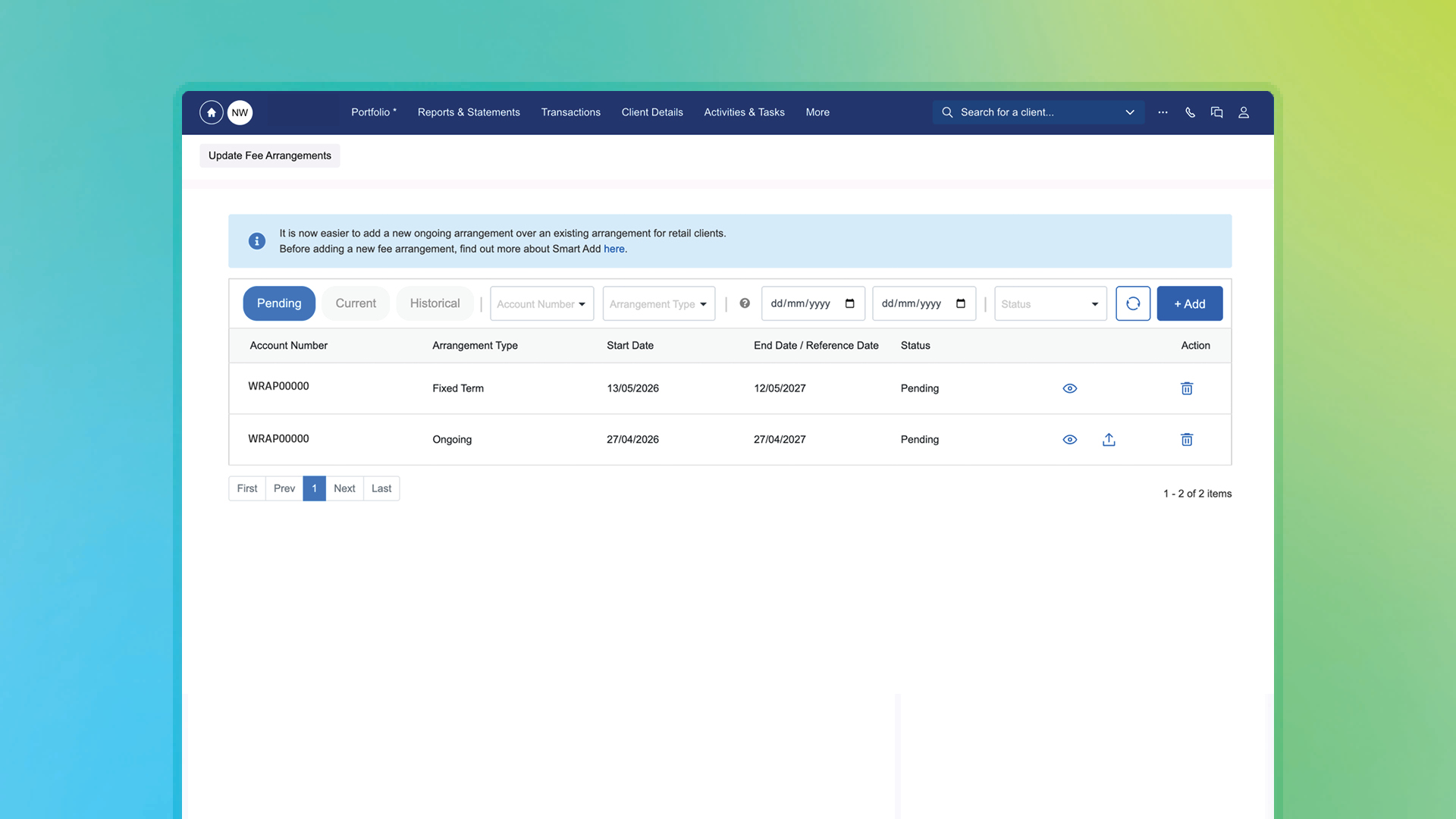
Advisers, we’ve enhanced how ongoing advice fees are added and updated on Netwealth, giving advisers a more streamlined, self‑service way to manage ongoing client fees.
For retail clients, this update makes it easier to add new ongoing advice fee arrangements for retail clients, including adding a new fee without needing to remove the existing fee first. It also supports a more efficient process and a seamless transition between fee arrangements, with the platform managing the change automatically once client consent is received.
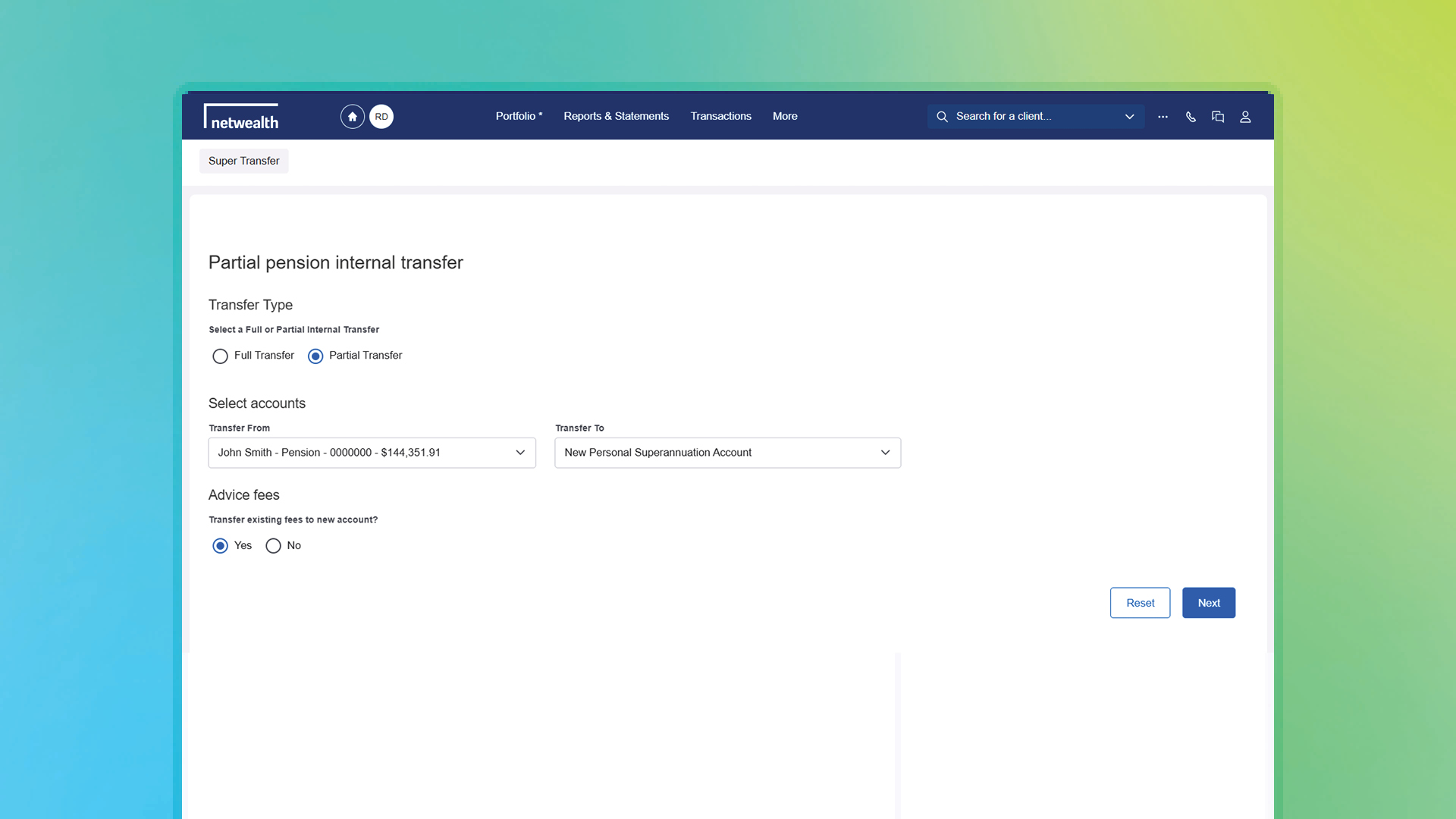
The Account Transfer Tool now allows eligible fixed‑term advice fees to be transferred when moving clients between super and pension accounts.
Transfers that previously took days can now be completed in minutes, with greater confidence that fees will continue uninterrupted.
Open accounts online with less admin and faster processing
You can now onboard clients more efficiently with our new digital application process for Wealth Accelerator. The streamlined workflow guides you step‑by‑step, with integrated document upload, ID verification and a seamless online review experience for clients.
Key features:
Netwealth’s Transfer Between Accounts tool now lets advisers move a portion of cash or selected assets between Super and Pension in either direction quickly, securely, and entirely online.

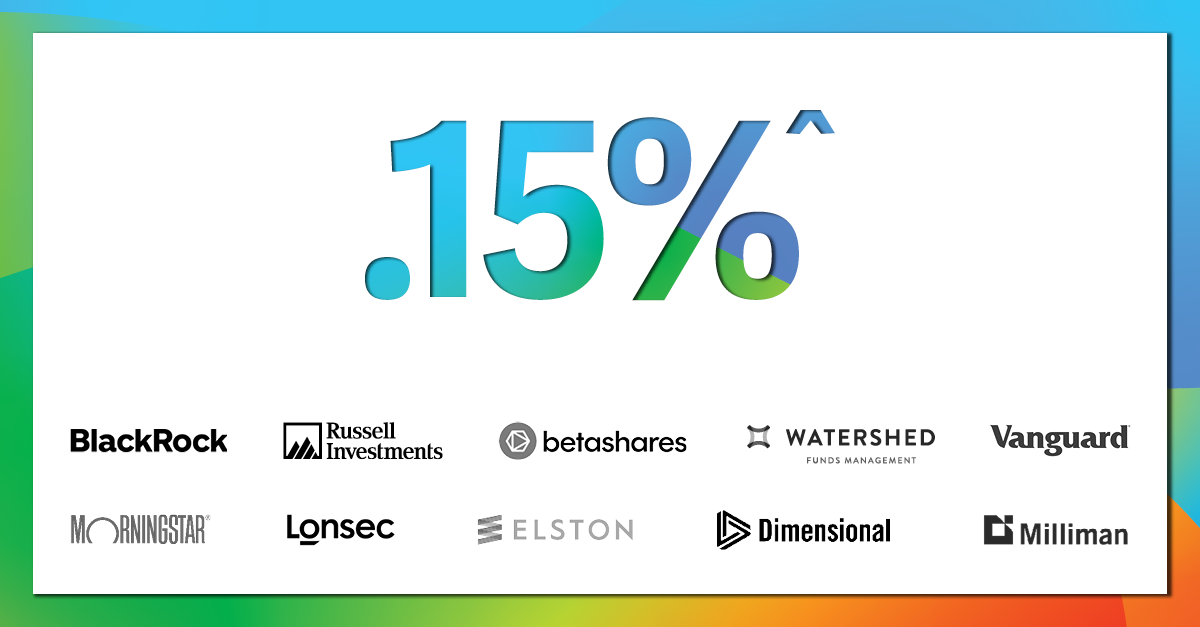
Netwealth’s Core menu keeps evolving, delivering more choice, greater flexibility, and globally recognised solutions at low cost. Now featuring:
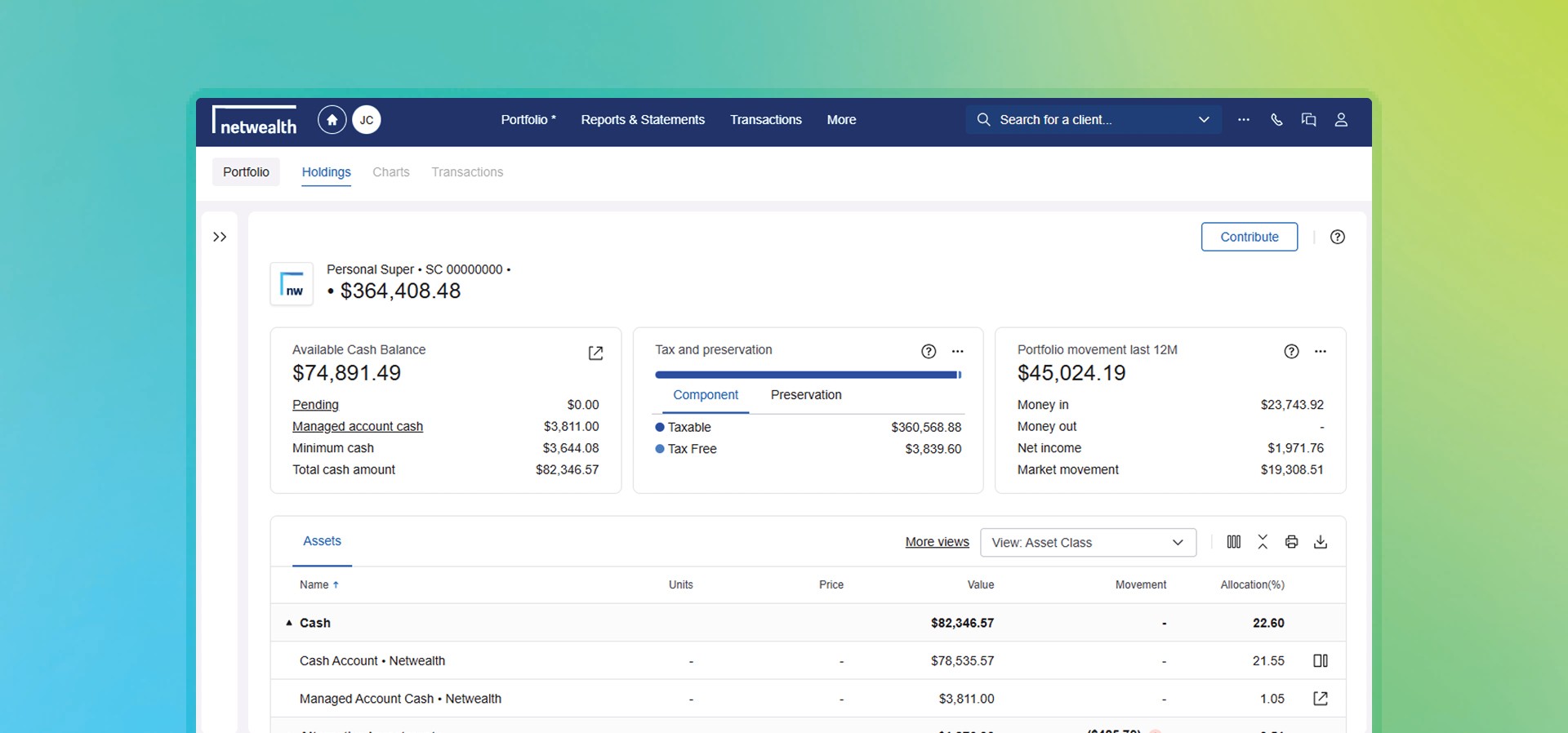
With Super Accelerator Core and Wealth Accelerator Core, you can build cost-effective portfolios from over 70 investments, including managed funds, models, term deposits, fixed-term annuities, and cash.
Get the data that matters most in seconds with three new portfolio widgets:
Widgets update in real time and are visible to clients, making planning, reviews, and conversations faster and more transparent.
Netwealth gives you flexibility and control when trading international securities, so you can tailor strategies to your clients’ needs.
Options include:
More choice means you can select the approach that best suits your client’s strategy.

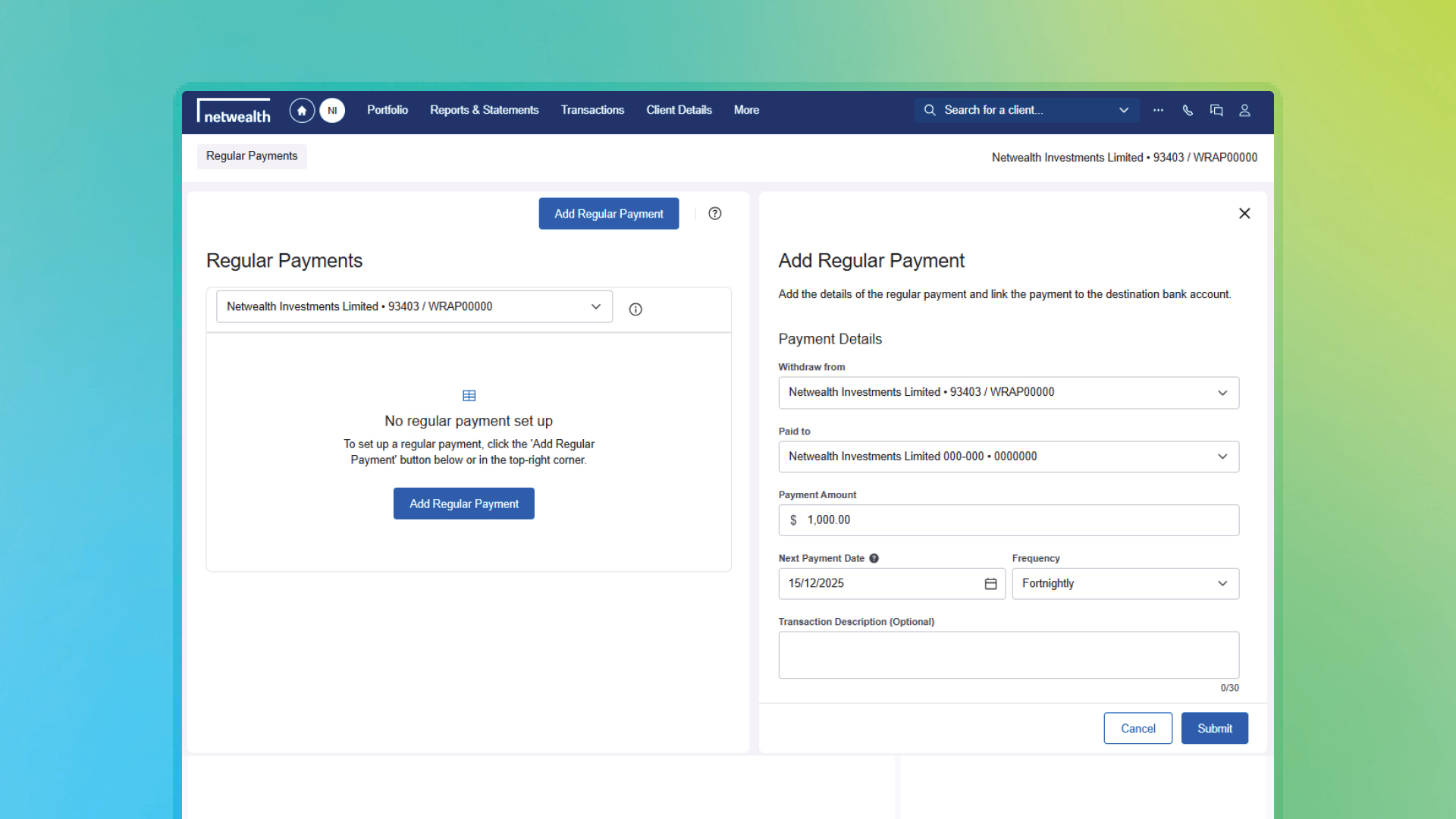
Simplify complex cash flow strategies with Netwealth’s Payment Scheduling feature, designed to save advisers time and reduce administrative burden.
From a single account, schedule multiple payments with tailored amounts, frequencies, start dates, and destinations.
Why this matters:
Spend more time on client strategy while we simplify payment complexity.
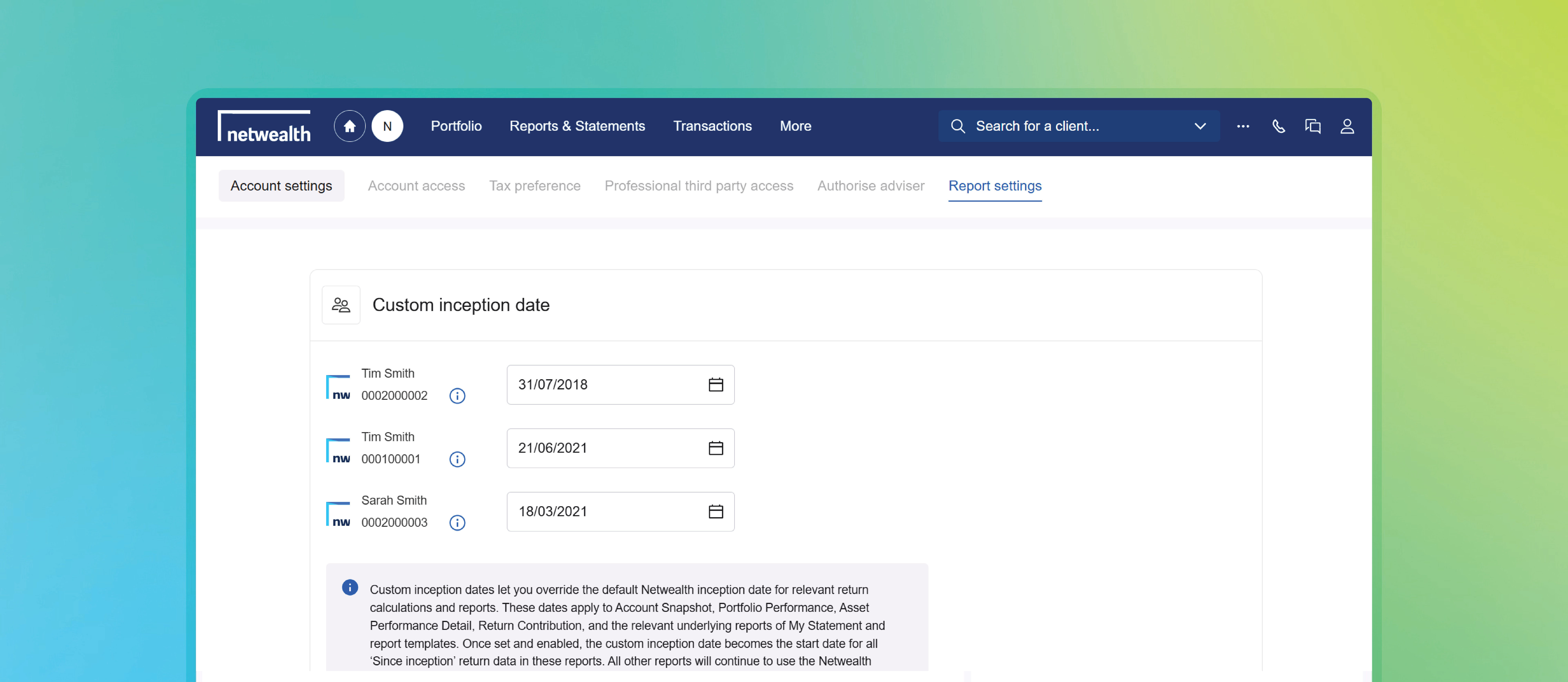
You can now set the start date for performance reporting. This puts you in control of when “since inception” really begins.
Why it matters
Setting a custom inception date is simple. Select a client and navigate to Client Details > Account Settings > Report Settings and enter the date that best reflects when your selected client’s portfolio was fully invested or when your strategy began. The new date automatically applies across all performance-based reports and bulk reporting for that account.
Netwealth's low cost super and investment account, Core solutions, now has even more investment choice with addition of Elston Income series. Take advantage of a dynamic, income-focused investment solution tailored for those nearing or in retirement. These portfolios aim to deliver income above benchmark yields while preserving capital, using a flexible strategy that actively adjusts asset weights to capture dividend and distribution opportunities. With exposure to ASX100 equities, ETFs, and managed funds, the series boosts after-tax returns through franking credits and maintains diversification across equities, fixed income, property, and infrastructure.
With Super Accelerator Core and Wealth Accelerator Core, you can build cost effective portfolios with the Elston Income Series and over 70 investments, comprising managed funds, models, term deposits, fixed term annuities, and cash.
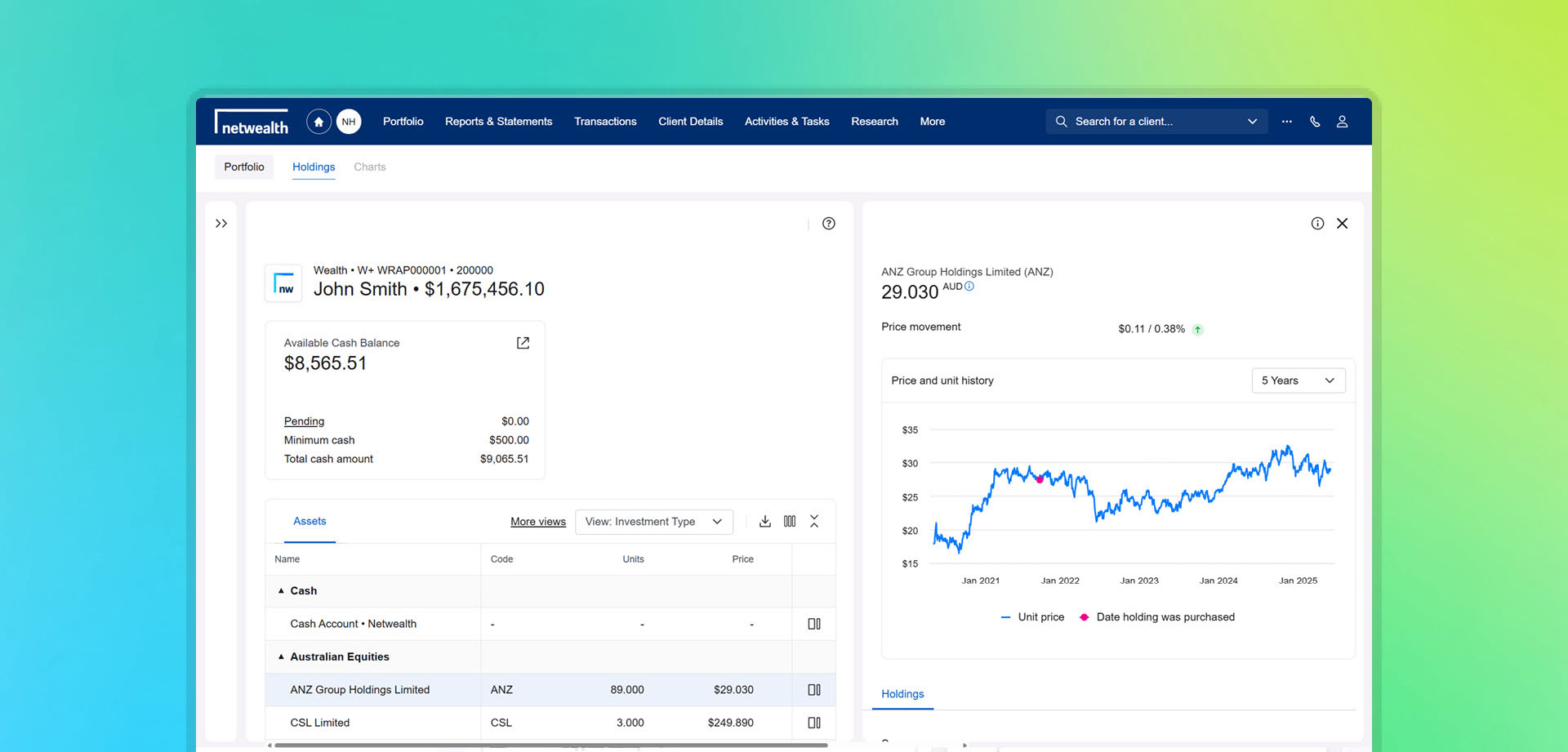
The unit price chart gives a visual snapshot of how price has performed over time, for managed funds or for equities.
Zoom in on specific timeframes, track historical price movement, and see exactly where purchases were made. Whether reviewing progress or exploring trends, it’s a smart way to understand what’s happening - and when.
The new price charting tool is available now, open any portfolio and click or select an asset to view.

For an in-depth and live look at any of our features, please request for one of our team to contact you.
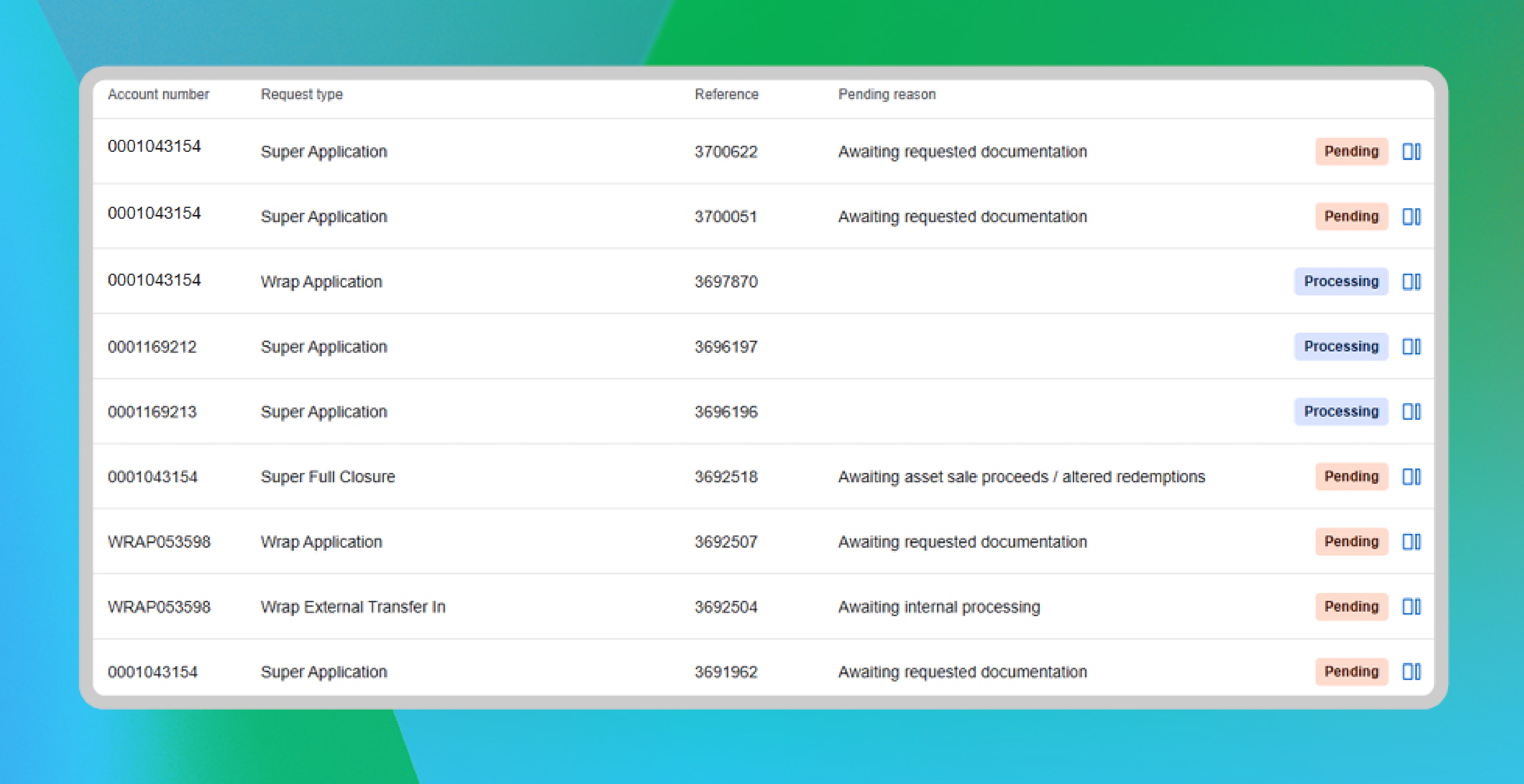
Discover Workflow Tracker designed to help you and your team track outstanding requests with Netwealth, such as applications for new accounts, withdrawals, and benefit payments.
Easily review the status and pending reasons for requests, ensuring you have the information you need, when you need it. Quickly identify requests that require your attention, whether they are awaiting further instructions from you or your clients.
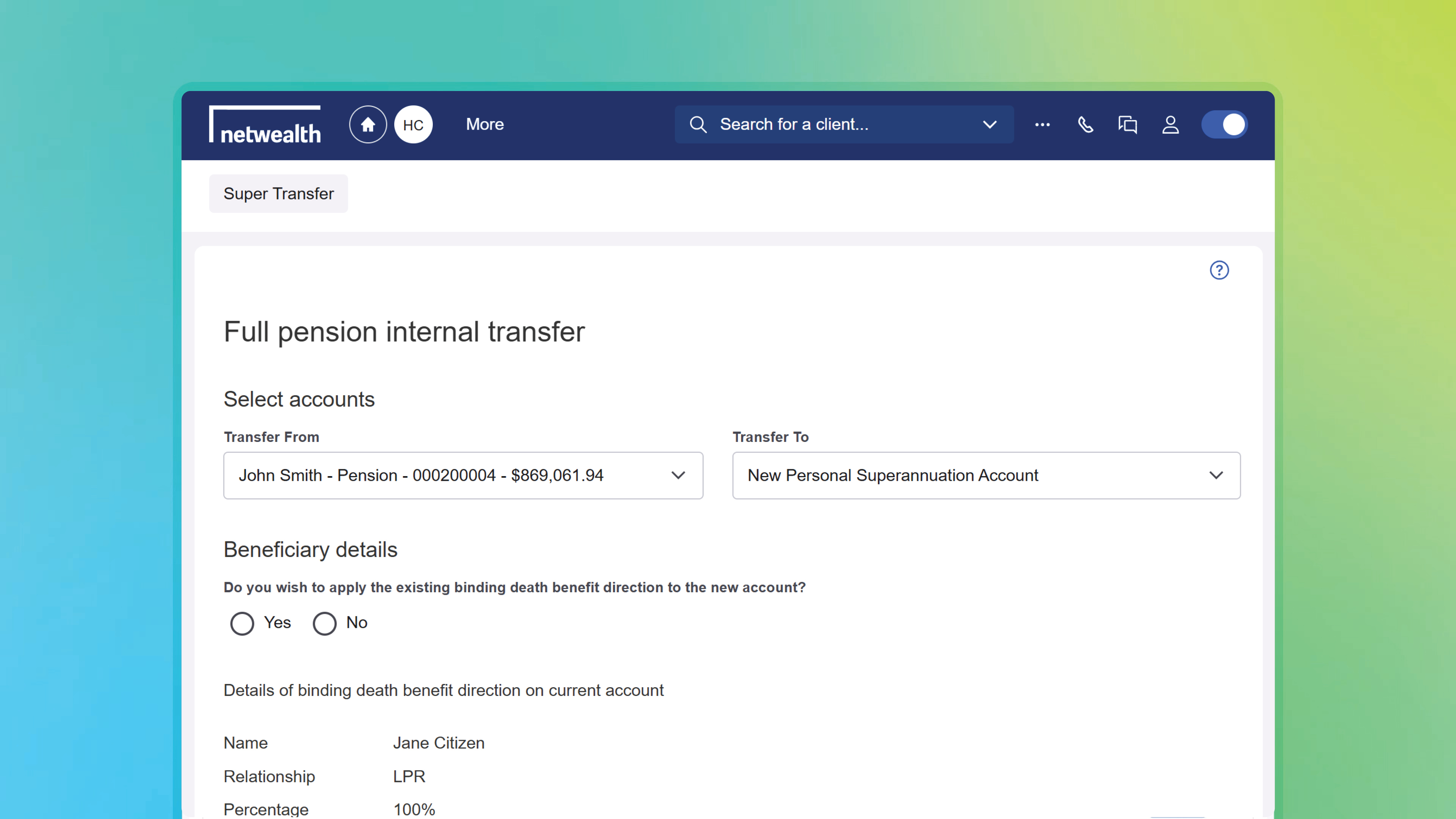
We’re excited to introduce our latest feature that simplifies full transfers from Income Stream accounts to Personal Super accounts. This new tool:
This feature is currently available, select your client’s Standard Income Stream or Transition to Retirement account, and Navigate via the main menu to ‘Activities & Tasks’ > ‘Transfer Between Accounts (new)’. Visit the Knowledge Centre guide for more information and detailed step-by-step guide.
A modern, intuitive design crafted to help you manage your clients’ portfolios more effectively:
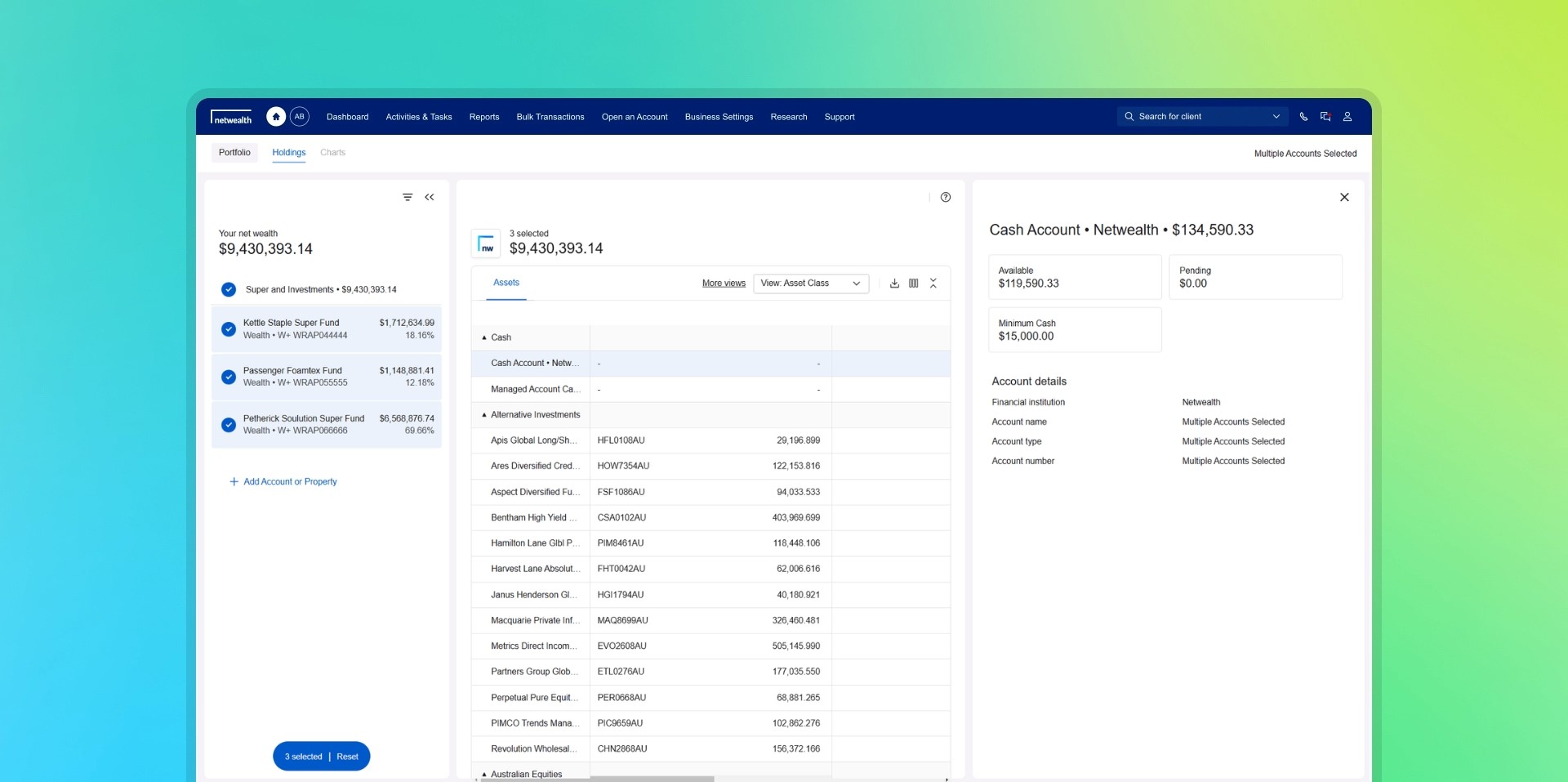
*For illustration purposes only
We understand how important it is for you to be able to find client information quickly. That's why we've overhauled the client search function to be more intuitive:
More ways to search: Search by account details or adviser, using advanced search functionality.
Streamlined information display: A dedicated side panel provides quick access to select client information.
Faster processing: Spend less time waiting for search results with faster processing times.
Netwealth is excited to announce the launch of several new features that enhance our client reporting tools. These features have been designed to simplify your reporting processes so you can deliver tailored client reports at scale.
Why you’ll love our client reporting tools:
Our enhanced client reporting is now available. Navigate to Reports > Client Reports to start leveraging these powerful features. For a detailed guide, visit the Knowledge Centre or schedule a demo with a Business Development Manager.
*For illustration purposes only
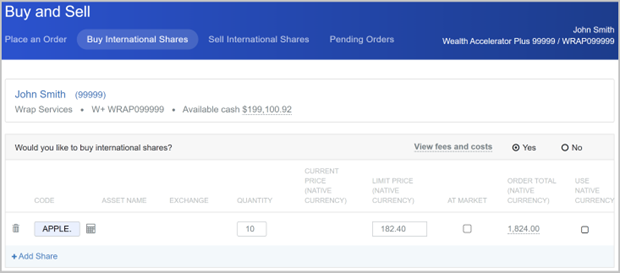
Experience live trading across 16 international exchanges and greater order control with our latest share trading enhancements:
New trading features are available now for trades initiated using ‘Buy & Sell International securities' on an individual account level. Visit the Knowledge Centre guide for more information.
Save time preparing for client reviews with ‘Report Templates’. Select and arrange existing reports to create your own custom report templates which can also be shared across your business.
Here is how it works:
Create your own custom report today, navigate to Reports > Report Templates to get started or for more information visit the Knowledge Centre.
*this video is an illustration
With Wealth Exchange and Data Integrations, you can easily set up and manage third-party data feeds. Subscribe to over 25 data integrations and share Netwealth client data with software providers like Xeppo, BGL, Financial Simplicity, and Xplan.
Our Data Integrations feature gives you complete control over your data in one central location. Cancel subscriptions, edit settings, and manage data feeds on a client level with ease.
To get started, navigate to Business Settings > Wealth Exchange / Data Integrations, and for more information, visit the Knowledge Centre.
*this video is an illustration
Introducing a new GSS 31-Day Notice Fund, further diversifying our cash product investment options. This fund offers a competitive floating yield with interest paid at RBA +25 basis points, plus the flexibility of a 31-day notice period for withdrawals.
Speak with a netwealth Business Development Manager for more information.